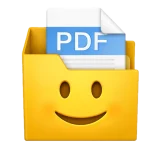
 Windows 10 or later · Free
Organizador de Recibos Everyone’s payslips, one PDF per employee.
A Windows app that takes the PDFs with every employee's payslips together and leaves one PDF per employee and month, ready to hand out. It is built for Argentine payslips and its interface is in Spanish.
Download
Pick the build that matches your Windows. If you are not sure, try the x64 one first.
The app is not signed, so Windows may show "Windows protected your PC": click "More info" and then "Run anyway".
What you get
- One PDF per employee and month, named "LASTNAME FIRSTNAME MM YYYY.pdf", for example "PEREZ JUAN 07 2026.pdf".
- Also one PDF with everyone's payslips, in the order they came. If it is already complete it is left alone, and when someone missing arrives later, they are added at the end.
- If you want, the employee's initials printed in black handwriting over the signature line. It is a checkbox, and it remembers how you left it.
- Everything inside a folder named after the employer, next to the original PDFs.
How it works
- Drop the PDFs, or a folder, onto the card, or click it to browse for them. Click the employer folder's tab to open it with the split payslips.
- You can also drag them onto the .exe icon or use "Send to → Organizador de Recibos" in File Explorer.
- It handles both payslip layouts: the landscape sheet with original and copy side by side, and the portrait sheet with a single copy. If a payslip takes two pages, they stay together in the same PDF and both get the initials.
- It reads the PDF text directly. If the page is a scan, it uses the OCR built into Windows, with nothing to install.
The window has the Windows 11 look: it follows Windows light or dark mode, and each receipt it separates flies to its employer's folder.
Checking the payroll
The app finds the payroll PDF from the AFIP tax return (form F.931, "Ver Nómina" saved as PDF) in the month's folder on its own, as the Clientes tab does; if it is not there, you can drop it in. It matches every employee by CUIL against their payslips for that month, and also finds the ones a scan gets wrong: by a misread CUIL, by name, or by a nearly matching CUIL. It marks each one with ✓ or ✗, and clicking someone opens their payslip. It ends with "TODOS OK" in green, or how many payslips are missing in red. You can also open the app just to check a payroll.
Checking every client
In the Clientes tab, the app checks the signed payslips of every client of the firm at once, for the month you pick. In each client's folder it finds that month's folder, the AFIP payroll (even when it comes in several parts) and "RECIBOS FIRMADOS" on its own, and tells you who is missing a signed payslip. The client list is alphabetical, and you jump to a client by typing the start of its name, as in File Explorer.
- It reads signed payslips even when they arrive as photos or scans, with an OCR built into the app. Anything it is unsure about is marked "ilegible, revisar".
- It spots the employees who left that month, from the ARCA termination record or a "LIQ FINAL" file, and warns you when the signed final settlement is missing.
- For each client it builds one PDF with every signed payslip of the month, straightened and with good contrast. When a missing one arrives later, it adds it at the end. Each page carries the employee's name, so Ctrl+F finds them.
- It writes nothing without your say: "Guardar" shows the exact list of what it will save and waits for a second click. It never deletes or overwrites your files: the only things it redoes are the list and the consolidated PDF it made itself.
Updates
Starting with version 1.0.3 it updates itself: when it opens it looks for the latest version, downloads it, checks it is the published one and offers to restart. If you have 1.0.2 or earlier, download the new one from here once.
Requirements
Windows 10 or later.
Support
Need a hand? Email me or take a look at the project on GitHub.
Privacy
Organizador de Recibos processes the payslips on your computer: they never leave it. See the privacy policy.
More apps
 Compress iCloud VideosApple silicon Mac
 ChipIDiPhone · Android
 Speak EmojiWeb, iPhone & iPad · 113 languages
 Achicar PDFWindows
 Riesgo Pais AppiPhone · iPad
 Liturgia de las Horas AppiPhone · iPad · Android
 DoubleMousemacOS
 CardinalmacOS · Contribution

Francisco XYour go-to for anything with a screen, with 27 years in the trade. I build and publish these apps myself.
About Francisco