ChipID
Point your iPhone camera at a phone memory chip and ChipID instantly tells you which category it belongs to. Sort recycled boards faster and with fewer mistakes.
App Store

For iPhone XS or later, with iOS 17 or newer.
How it works
- The camera opens ready to scan: frame the laser markings and the category appears on its own, with no photos and no typing.
- Recognizes eMCP and uMCP by package and memory (for example, BGA221 · 2 GB RAM + 16 GB ROM), Micron FBGA codes, and eMMC and UFS from Samsung, SanDisk, Toshiba/Kioxia, SK hynix and more than fifteen other brands.
- Tolerates the usual misreadings of laser-etched text, like an O read as a zero.
- If the marking is worn, type part of the code and pick it from the list.
Count, price and share
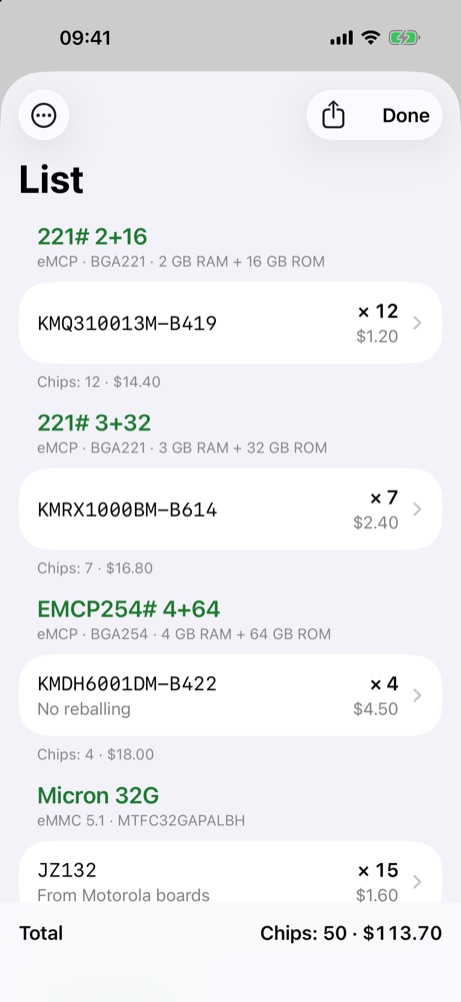
- Each tap on Save adds a chip, grouped by category.
- Give each model a resale price and a note; subtotals and the total add up on their own.
- Share a clean, organized list by WhatsApp, email or any app.
What's missing
If a chip isn't in the database, add it in two taps: choose the line that identifies it and its category. From then on ChipID recognizes it like any other.
Support
If something doesn't work or a chip is misclassified, email me with the chip code and a screenshot.
Privacy
Everything happens on your iPhone: no account, no subscription and no servers. Camera images never leave your phone. See the privacy policy.